
Fisher & Paykel OM24NMTDB1 Series 9 Minimal Compact Convection-Speed Oven
Compact speed oven trouble often shows as drifting temperature, slow preheating or a dead fan or light.

Model overview
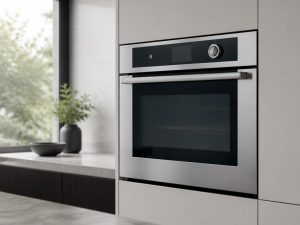
The OM24NMTDB1 is a compact speed oven from Fisher & Paykel with a total capacity of 1.7 cu. ft., 22 cooking functions and a 900 W microwave. It measures 23 7/16 inches wide and carries a five-inch guided touchscreen above four shelf positions. A wired temperature sensor is included, and Wi-Fi connectivity is listed as a feature. The minimal black-glass front keeps the controls clean. Within the metro areas we cover, the faults reported most often are temperature that drifts from the setting or an oven that is slow to heat. When you book, copy the full model number from the rating label, describe the heat or fan problem, and include any code on the control panel.
At a glance
| Model | OM24NMTDB1 |
|---|---|
| Appliance | 24-inch Series 9 Minimal Compact Convection-Speed Oven |
| Common symptoms | temperature off from the setting; error code on the control panel; fan, light or display not working; oven not heating or slow to preheat |
| What you can check | Note the mode used (bake, convection, steam, self-clean) and any code on the display. |
| When to call a technician | If the symptom comes back after the simple checks, or you see a code, leaking water or a burning smell, book a visit. |
Specifications
| Dimensions | Width is 23 7/16 inches. |
|---|---|
| Capacity | Total capacity is 1.7 cu. ft. |
| Power | Microwave power is 900 W. |
| Features | Twenty-two cooking functions. Four shelf positions. Wired temperature sensor is included. SmartHQ Wi-Fi connectivity. |
| Controls | 5-inch guided touchscreen. |
What sets the OM24NMTDB1 apart
A speed oven combines a convection oven with a microwave in one compact box, and its 22 functions cover more cooking styles than a basic microwave. The wired sensor is the part that tracks the roast core, so it matters more for meat than for baking. Day to day, a smaller cavity changes how fast a dish browns, so check food earlier than a full oven would require.
Service notes for the OM24NMTDB1
When temperature drifts, a technician checks the wired sensor and its connection before the heating elements, because a poor sensor link gives readings that do not match the heat. The owner can safely make sure the sensor plug is fully seated and that the probe does not touch the cavity wall. Fan, light or display failures are often a loose connector or a tripped protection, so look for a reset message on the panel. Do not open the outer housing, since microwave output is high voltage. Note the code on the control panel and whether the microwave or the convection side fails first.
The model number is printed on the rating label, usually on the frame around the door opening, visible with the door open; match it letter for letter before booking, because a single letter can change parts.
Frequently asked questions
How big is the cavity?
Total capacity is 1.7 cu. ft., with four shelf positions for cooking.
Is Wi-Fi connectivity part of the unit?
Wi-Fi connectivity is listed as a feature, and its setup steps are covered in the manual.
Where do I find the full OM24NMTDB1 model number?
Check the rating label on the frame around the door opening, visible with the door open. Copy every letter and digit, including the ones at the end.
Do you repair the Fisher & Paykel OM24NMTDB1 at home?
Yes. We book in-home visits for this model in the Miami, New York, Houston, Los Angeles and San Diego metro areas. Add the model number and the symptom to the booking form.
Common issues for this model
- Temperature off from the setting
- Error code on the control panel
- Fan, light or display not working
- Oven not heating or slow to preheat
Recommended repair service
Convection & Speed Oven Repair
Combination microwave-convection or speed oven not heating correctly? We diagnose Fisher & Paykel multi-mode cooking appliances.
Troubleshooting resources
Note the mode used (bake, convection, steam, self-clean) and any code on the display.
Model-information disclaimer. Confirm your exact model number and specifications with your appliance documentation before booking a repair. Model pages are for identification and compatibility reference.
Tell us what’s wrong — we’ll take it from there
Share a few details and we’ll confirm an appointment. Prefer to talk? Call us and we’ll help right away.