
Fisher & Paykel VB30SDEI3 Integrated Vacuum Seal Drawer
Panel-ready vacuum drawer trouble usually shows as a lid that will not close, controls that stop responding or no suction.

Model overview
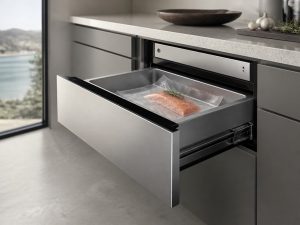
The VB30SDEI3 is a 30-inch integrated vacuum seal drawer from Fisher & Paykel, designed to sit inside a cabinet run behind a custom panel. A push-to-open drawer replaces a handle, and touch controls choose one of three vacuum levels and one of three heat-sealing levels. Sous-vide preparation is a supported use, and the drawer takes BPA-free food-grade bags, so the sealing setting matters as much as the vacuum. Across the metro areas we cover, owners usually call about a lid that will not close fully or a pump that runs without pulling air. When you book, add the full model number from the rating label, describe what the drawer does, and include any code on the touch panel.
At a glance
| Model | VB30SDEI3 |
|---|---|
| Appliance | 30-inch Integrated Vacuum Seal Drawer |
| Common symptoms | lid or seal bar not closing; controls not responding; pump running but no vacuum; vacuum not sealing bags |
| What you can check | Note whether the pump runs and whether the bag seals at all. |
| When to call a technician | If the symptom comes back after the simple checks, or you see a code, leaking water or a burning smell, book a visit. |
Specifications
| Dimensions | Width: 29 7/8 inches. |
|---|---|
| Installation | Panel-ready design. |
| Features | Three vacuum levels. Three heat-sealing levels. Supports sous-vide preparation. Uses BPA-free food-grade bags. |
| Controls | Push-to-open drawer. Touch controls. |
What sets the VB30SDEI3 apart
Panel-ready construction means the front takes your cabinet finish, so the drawer reads as part of the run instead of a separate appliance. At 29 7/8 inches wide it matches a standard 30-inch opening. The touch controls replace a button bank, which means the panel and its wiring matter as much as the drawer mechanism when a setting stops responding.
Service notes for the VB30SDEI3
A lid that will not close or a seal bar that never heats usually points to the latch, the gasket or the heating strip, and a technician checks those three before opening the control housing. Start with what you can see: wipe the gasket and the seal bar edge, look for crumbs under the lid, and confirm the bag edge lies flat. If the pump runs but the bag stays open, the seal path is the first suspect. Do not force the drawer while the controls are unresponsive, since the latch may be engaged. Write down the exact setting you chose, the step where it stopped, and any code, because that narrows the search for the technician.
The model number is printed on the rating label, usually on the rating plate; the owner’s manual shows where it sits on this appliance; match it letter for letter before booking, because a single letter can change parts.
Frequently asked questions
How wide is the VB30SDEI3?
It measures 29 7/8 inches wide, so confirm the panel-ready opening before ordering a replacement part.
What bags does it take?
It takes BPA-free food-grade bags, which are the bags the sealing settings are meant for.
Where do I find the full VB30SDEI3 model number?
Check the rating label on the rating plate; the owner's manual shows where it sits on this appliance. Copy every letter and digit, including the ones at the end.
Do you repair the Fisher & Paykel VB30SDEI3 at home?
Yes. We book in-home visits for this model in the Miami, New York, Houston, Los Angeles and San Diego metro areas. Add the model number and the symptom to the booking form.
Common issues for this model
- Lid or seal bar not closing
- Controls not responding
- Pump running but no vacuum
- Vacuum not sealing bags
Recommended repair service
Vacuum Seal Drawer Repair
Vacuum seal drawer not pulling vacuum or sealing bags? We diagnose Fisher & Paykel vacuum drawers.
Troubleshooting resources
Note whether the pump runs and whether the bag seals at all.
Model-information disclaimer. Confirm your exact model number and specifications with your appliance documentation before booking a repair. Model pages are for identification and compatibility reference.
Tell us what’s wrong — we’ll take it from there
Share a few details and we’ll confirm an appointment. Prefer to talk? Call us and we’ll help right away.