

F204 on a combi oven: the user interface is not responding. Cool down, restart, otherwise book service.
Model compatibility: Fisher & Paykel reuses codes across series and model years, so F204 may mean something different on another appliance or generation. Confirm this against your model’s documentation and record your full model number before acting.
What this code means
Fisher & Paykel lists F204 as UI not responding on its convection and microwave combi oven.
What F204 reports
The combi oven table from Fisher & Paykel describes F204 as “UI not responding”. The UI, or user interface, is the screen and set of controls through which you operate the oven, so you may see it ignoring button presses or behaving oddly.
At a glance
| Code | F204 |
|---|---|
| What it means | F204 means the user interface, the screen and controls, is not responding on the convection and microwave combi oven. |
| What you can check | Wait until the oven is entirely cold and the cooling fan has stopped, then switch off at the power supply for one minute. Switch on and test the controls. |
| When to call a technician | Book a service call if F204 appears once more. Mention what the display did when you call, and do not spray cleaner into the control panel. |
The reset in order
- First, wait until the oven is entirely cold.
- Next, listen for the cooling fan; once it has stopped, move to the power supply.
- Switch off for a single minute.
- Switch on and test the controls.
Book a service call if F204 appears once more; that is what the manufacturer says.
The restart
The page states in general terms that resetting can rectify some faults, and the F204 row includes the reset. The full minute without power is part of the instruction.
Cause and cleaning
Fisher & Paykel lists no cause for F204. Cleaning the screen is harmless but there is nothing to show it helps; spraying cleaner into a control panel may damage it.
Similar entries
- F608: a TFT error (a type of display screen).
- F102 and its group: communication errors between boards.
Oven service in Miami, New York, Houston, Los Angeles and San Diego
Our team covers the Miami, New York, Houston, Los Angeles and San Diego metro areas for Fisher & Paykel combi ovens. Call (844) 659-2290 with F204, the model number and a note on what the display did. More on the oven repair page.
Source: Fisher & Paykel Support, Combi oven: Convection + Microwave fault codes
Important safety warning. Do not attempt repairs involving electrical components, gas, water lines, refrigerant or sealed systems. Unplug the appliance if it is safe to reach the outlet, and leave internal diagnostics to a qualified technician.
Recommended repair service
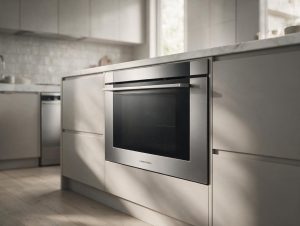
Oven Repair
Oven not heating, baking unevenly, or showing an error? We diagnose Fisher & Paykel ovens with a safety-first approach.
More Oven error codes
Sources & references
Tell us what’s wrong — we’ll take it from there
Share a few details and we’ll confirm an appointment. Prefer to talk? Call us and we’ll help right away.