
Fisher & Paykel Cooktop E4 Code: Overheating or Board Fault

Three Fisher & Paykel documents, one practical answer for E4: let everything cool, cut power, restart.
Model compatibility: Fisher & Paykel reuses codes across series and model years, so E4 may mean something different on another appliance or generation. Confirm this against your model’s documentation and record your full model number before acting.
What this code means
E4 is overheating in the care guides and an electronic board or software error in the full-surface and freestanding cooker articles.
If your display shows E4, begin with a sequence that satisfies every explanation: cool first, restart second. How the manufacturer’s documents divide up is laid out below.
At a glance
| Code | E4 |
|---|---|
| What it means | E4 is either an overheated cooktop or an electronic board or software fault, depending on the model. |
| What you can check | Turn the cooktop off with POWER and let it cool, waiting for any oven fans to stop. Cut mains power for one minute on a stand-alone cooktop, restore it and try one pan on a rear zone. |
| When to call a technician | If E4 comes back after a proper cool-down, stop troubleshooting and book a service repair or call a trained technician. Cutting power while a cooker oven is very hot may damage it. |
| Document | Description of E4 | What to do |
|---|---|---|
| Care guides, CI365 through CI122 and CI905 through CI302 lines | Overheated cooktop | Let it cool down, then start it again |
| Support article, full-surface induction | Board or software fault | Isolate the power for 1 minute, restart |
| Support article, freestanding cooker | Board or software fault | Fans stopped and oven cold, isolate power for 30 seconds, restart |
Putting the instructions together
- Use POWER to turn the cooktop off and clear the glass.
- Give it cooling time. If a cooker oven sits underneath, wait for its fans to stop.
- Take away mains power for the longest of the times above, one minute for a stand-alone cooktop.
- Restore power and try a small job: one pan, rear zone.
Warning from the cooker article: removing power when the oven is very hot may hurt the oven and neighboring cabinetry.
Things about heat you can check
According to the care guides, a black display from overheating goes together with pans standing along the front of the cooktop. The full-surface support article asks for good ventilation around the unit. Fix whichever of those applies to you before suspecting a fault.
E4 on the second try
Once E4 comes back following a proper cool-down, stop troubleshooting. Support articles advise booking a service repair; the care guides advise noting the code and calling Customer Care or a trained technician.
Compare
- E3 is the other overheating code in the owner guides.
- EA is a board error with a one-minute reset in the same support article.
Cooktop repair, Miami to San Diego
Our Fisher & Paykel work covers the Miami, New York, Houston, Los Angeles and San Diego metro areas. After a repeat E4, call (844) 659-2290 with the code, the waiting time you used and the cooktop’s model details. The induction cooktop repair page has background.
Source: Fisher & Paykel Induction Cooktop Care and Maintenance; Induction Cooktop Care Guide 433271A; Support: E6, ER62 or ER21 on full surface induction cooktop; Support: F, A, E or U on Freestanding Cooker
Important safety warning. Do not attempt repairs involving electrical components, gas, water lines, refrigerant or sealed systems. Unplug the appliance if it is safe to reach the outlet, and leave internal diagnostics to a qualified technician.
Recommended repair service
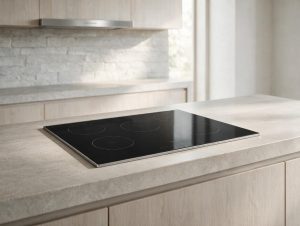
Induction Cooktop Repair
Induction zone not heating or detecting cookware? We diagnose Fisher & Paykel induction cooktops precisely.
More Cooktop error codes
Sources & references
- Fisher & Paykel Induction Cooktop Care and Maintenance (owner's manual for CI365/CI304/CI244/CI122 models, 2026) - Fault codes; hosted by pcrichard.com
- Fisher & Paykel Induction Cooktop Care Guide 433271A (CI905/CI804/CI604/CI302 models) - Fault codes
- Fisher & Paykel Support: E6, ER62 or ER21 displaying on full surface induction cooktop (CI926DTB4)
- Fisher & Paykel Support: F, A, E or U displaying on Freestanding Cooker (support.fisherpaykel.com, NZ/AU)
Tell us what’s wrong — we’ll take it from there
Share a few details and we’ll confirm an appointment. Prefer to talk? Call us and we’ll help right away.